Sweet Home: Games for kids
- 4.6
- Rating
- 10.00M
- Installs
- Free
- Price

 Analysis by App-foxy
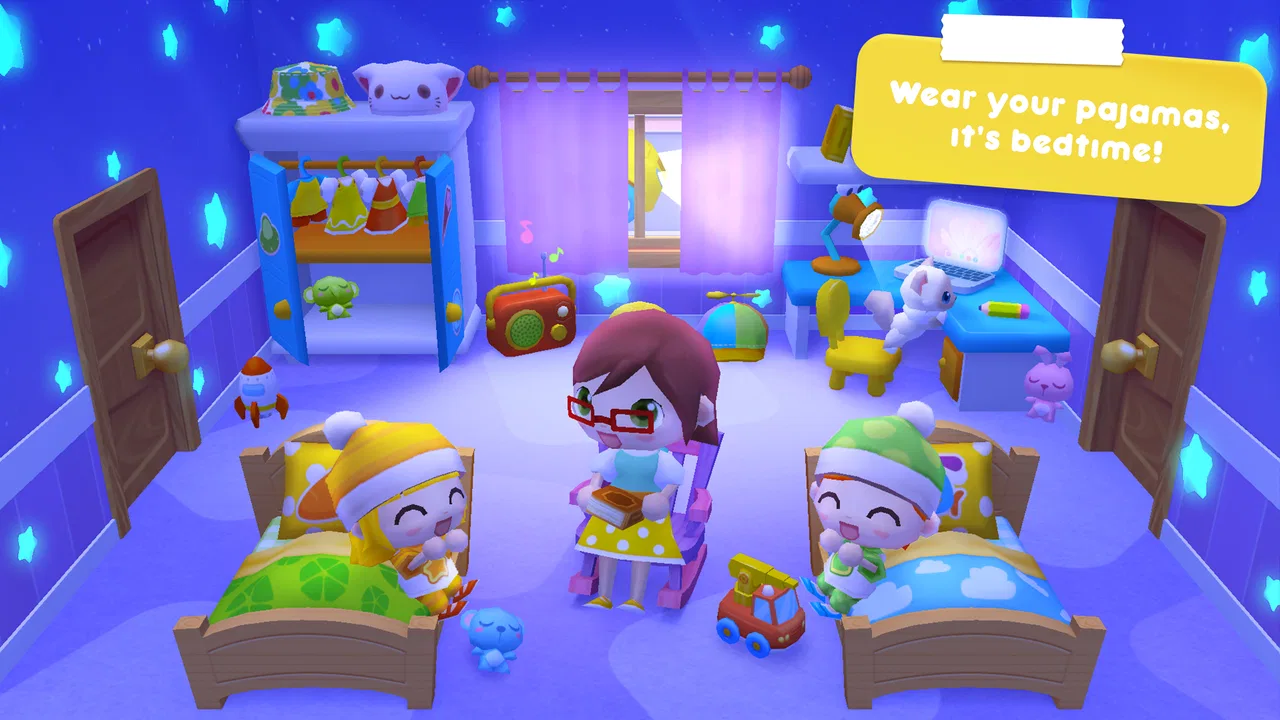
I found Sweet Home Stories most appealing as a quiet pretend-play space rather than a traditional game with goals, scores, or pressure. It is an educational game from SUBARA aimed at children from two to six, built around a family home where children can imagine situations, move through daily routines, and create their own little stories. My overall view is simple: it works best when an adult treats it as a digital toy for conversation, not as a substitute for open-ended play away from a screen.
The free entry point makes it easy for families to try, and the Everyone age rating fits its gentle presentation. It has reached over ten million installs and holds a 4.6 average from around one hundred two thousand ratings, which suggests that its basic idea connects with a large audience. Still, popularity does not make it right for every child. Its relaxed style will delight children who enjoy pretending, while children looking for racing, puzzles, winning, or constant novelty may lose interest quickly.
What makes the home setting work so well
The strongest part of the experience is the familiar setting. A family home gives a young child an immediate vocabulary for play: rooms, objects, meals, rest, tidying, and interactions between family members. Instead of asking a child to understand a complicated fantasy world, the game starts with situations they may already recognize. That makes it easier for a parent to ask, “What is happening here?” or “What should the family do next?”
You May Also Like

 Blood Strike: 2.5 Anniversary
Blood Strike’s Loadouts Turn Every Drop Into a Tactical Gamble
A close look at Blood Strike’s custom loadouts: how fast access to signature weapons reshapes its battle royale rhythm, rewards preparation, and narrows the gap between fights.

 Pandora - Music & Podcasts
Pandora’s Music Is Easy to Start, but Harder to Recover
Pandora’s strength is its low-effort path from a seed to a station. Its weak spot is how much confidence it asks you to place in connection, setup, and quiet recovery.

 8 Ball Pool
 Is Built on Rivalries, Rematches, and Routine
A close look at the rivalries, rematches, shared routines, and unanswered safety questions that turn a quick pool match into a persistent mobile community.

 Samsung Music
’s Quiet Strength Is Playing What You Already Own
Its reach comes less from spectacle than from dependable access to a personal library. That simplicity is both the app’s strongest retention engine and its ceiling.

 AccuWeather: Weather Radar
AccuWeather Review: A Quick, Clear Forecast for Everyday Decisions
For everyday plans, the best forecast is the one you can understand quickly. AccuWeather makes rain timing, radar, and local conditions easy to act on, with a few trade-offs.

 Hill Climb Racing
Why Hill Climb Racing Still Turns Crashes Into One More Run
A tiny car, a bumpy hill and one more upgrade: Hill Climb Racing keeps resurfacing because its simple chaos makes every near-miss feel personal.
More From Our News Desk



I also like the way this kind of setting leaves room for the child to supply the meaning. A room is not merely a level to complete. It becomes a stage for a story. One child may turn an ordinary household moment into a pretend morning routine, while another may invent a completely different scene. That flexibility is more valuable than a fixed sequence of tasks because it encourages language, sequencing, and social imagination at the same time.
For younger children, the lack of competitive pressure is a genuine advantage. There is no need to read a long explanation before beginning a short play session. A child can explore visually, make choices, and return to the same setting without feeling that they have failed by missing a target. In my experience, this makes it easier to use the game during a calm part of the day, especially when the goal is imaginative engagement rather than achievement.
The educational value is therefore indirect but meaningful. I would not describe it as a lesson app in the usual sense. It does not seem designed to drill letters, numbers, spelling, or formal facts. Its learning comes through pretend situations: deciding what a character might do, noticing relationships between actions, naming objects, and explaining a sequence. That makes it particularly useful for an adult who is willing to talk alongside the child.
How I would use it with a child
A useful approach is to let the child lead for a few minutes before asking questions. If a parent immediately turns the session into a quiz, the imaginative quality can disappear. I would instead watch the story develop, then add one gentle prompt: “Who is visiting?” “What happens after dinner?” or “Why is that character tired?” These questions transform passive tapping into a small conversation without making the experience feel like homework.
Another practical idea is to use the home as a routine rehearsal. Before leaving for preschool, a child could act out getting ready, finding belongings, and saying goodbye. Before bedtime, the same setting could support a pretend evening routine. This does not mean the game can guarantee better behavior, but familiar role-play may help a child put everyday events into words. The important detail is that the adult should connect the fictional scene to the child’s real life rather than simply watching the screen.
I would also encourage parents to stop while the child is still interested. Because the game is open-ended, it can be tempting to leave it running indefinitely. Short sessions with a clear transition work better for this age group than allowing the home to become background entertainment. When the child finishes a story, ask them to describe it or act out the next part away from the device. That turns the app into a starting point for play instead of the whole activity.
What the experience feels like in everyday use
Imagine a rainy afternoon when a child is restless but not ready for a demanding game. I could open Sweet Home Stories, sit nearby, and let the child create a family scene. Perhaps the child begins with a meal, changes the situation into a visit, and then invents a problem that needs solving. I can follow along, name what I see, and ask the child to explain the characters’ choices. After a short session, we could put the device down and recreate part of the story with toys.
That scenario shows the game’s real strength: it gives a young child a recognizable framework without dictating one correct outcome. It is especially suitable for shared play between an adult and a child, or between siblings who enjoy negotiating what happens next. It is less compelling when a child expects the app itself to provide constant instructions, rewards, or dramatic surprises.
The visual simplicity also matters for this audience. A home environment is easier for a very young player to understand than a crowded action game filled with menus and competing objectives. The child’s attention can stay on the characters and the situation. Parents should still guide the first session, though, because even a friendly interface can leave a young child unsure about what can be touched or how freely the scene can be explored.
Where the game falls short
The same openness that makes the experience appealing can also make it feel limited. Children who need clear goals may ask what they are supposed to do, and the answer is essentially to invent something. That is liberating for an imaginative child but frustrating for one who prefers a puzzle with a visible solution. Compared with structured educational games that teach a particular skill through levels and feedback, this one offers less measurable progress.
I would not choose it as the main tool for early reading, counting, or academic practice. A child may develop useful communication and storytelling habits through play, but the game should not be mistaken for a curriculum. If your priority is letter recognition or number exercises, a dedicated learning app will usually be a better match. Sweet Home Stories belongs closer to digital role-play than to formal instruction.
There is also a risk of repetition. An open home can support many stories, but the child has to bring much of the variety. After the novelty of exploring the setting fades, some children may repeat the same routines or stop asking for it. Parents can extend its usefulness by introducing new story prompts, but that requires participation. It is not the kind of game I would hand to every child expecting unlimited independent entertainment.
The free price is helpful for trying the basic experience, although families should remember that optional in-app purchases cost between two and three dollars per item. I recommend checking the purchase setup before giving a young child unsupervised access. This is not a criticism of the pretend-play concept itself; it is simply sensible household management whenever a child can interact with a free app that offers paid additions.
Age suitability also deserves a little nuance. The Everyone rating reflects the gentle family focus, but a rating alone cannot tell you whether the interaction style suits your particular child. A two-year-old may need an adult to guide the controls and explain the story, while an older child may want more complexity than the home can provide. I would judge readiness by attention span, ability to follow simple interactions, and willingness to invent rather than by age alone.
How it compares with familiar alternatives
Compared with action games for children, this is far calmer. There is no need to react quickly or compete for a high result, so it may be a better choice when you want imaginative downtime. Compared with puzzle-based educational games, however, it gives less direct feedback. A puzzle says whether an answer is right; this game leaves the child and adult to decide what a satisfying story looks like.
Compared with physical dolls, toy kitchens, or a dollhouse, the digital home is more convenient to start and easier to reset. A child can move from one pretend situation to another without collecting scattered pieces. Physical play remains richer for touch, movement, and shared space, though, so I see the app as a companion rather than a replacement. One useful routine is to play a short scene digitally and then continue it with toys, drawings, or role-play in the room.
Compared with highly guided preschool apps, this experience asks more from the parent. That is both its weakness and its opportunity. If you want a child to work independently through a sequence of activities, another option may serve you better. If you want a prompt for conversation and storytelling, the open structure can be more rewarding than a series of repetitive exercises.
Who should try it, and who should skip it
I would recommend it to families with young children who enjoy pretend families, household routines, and making up dialogue. It is also a good fit for parents looking for a low-pressure activity to share, especially when they want to encourage vocabulary without presenting the session as study. Children who like arranging scenes and deciding what characters do next are likely to get the most from it.
I would be more cautious if your child quickly becomes bored without rewards or visible objectives. The same applies if you are specifically searching for a game that teaches a defined academic skill. In those cases, a structured puzzle or phonics app may be a better purchase of your child’s attention. I would also skip it as a background babysitter; its best qualities appear when someone engages with the child’s story.
On a practical level, the game is available free, with optional purchases priced at two to three dollars per item. It was released on February 24, 2017, and the current version is 1.5.0, supporting devices running Android 7.0 or later. Those details make it approachable for families with compatible older devices, although the actual quality of the session will depend more on the child’s interests and the adult’s involvement than on technical specifications.
My final recommendation
After spending time with it, I see Sweet Home Stories as a gentle digital playroom with educational value hidden inside ordinary pretend situations. Its strongest evidence is not a collection of lessons or challenges, but the way a familiar home can prompt a child to narrate, organize, and reinterpret daily life. That is a worthwhile purpose, provided the adult understands what the game is offering.
Its main limitation is equally clear: the child must supply the imagination. There is no guarantee that an open-ended home will hold every child’s attention, and it cannot replace focused instruction or hands-on play. Parents should guide the first sessions, keep purchases under control, and use conversation to bring out the storytelling potential.
For a child who enjoys make-believe, I think it is worth trying because the free starting point lowers the risk. For a child who wants challenges, scores, or academic exercises, I would choose something more structured. My final verdict is positive but specific: this is best used as a shared storytelling tool, not as a complete educational program. Used that way, it can turn a familiar digital home into a surprisingly useful place for conversation and imaginative play.
FAQs for Sweet Home: Games for kids
01What age group is Sweet Home Stories suitable for?
Sweet Home Stories is designed for children ages 2 to 8. It offers a safe and educational environment where young kids can explore and learn through imaginative play. The app features colorful graphics and interactive elements that are perfect for engaging young minds in a fun and educational way.
02Is Sweet Home Stories available offline?
Yes, Sweet Home Stories can be played offline after the initial download and installation. This feature is particularly convenient for parents who want to keep their children entertained during travel or in areas with limited internet access, ensuring seamless playtime without interruptions.
03Does Sweet Home Stories contain in-app purchases?
Sweet Home Stories offers a one-time purchase for the full version, which unlocks all features. It does not contain in-app purchases or ads, providing a safe and uninterrupted experience for children. Parents can rest assured that their kids won’t encounter unexpected costs while playing.
04What educational benefits does Sweet Home Stories offer?
The app promotes creativity, role-playing, and storytelling, which are crucial for cognitive and social development. Children can explore different family roles and household activities, enhancing their vocabulary and understanding of daily routines. This makes it a valuable tool for learning through play.
05Is Sweet Home Stories available on both Android and iOS?
Yes, Sweet Home Stories is available for download on both Android and iOS platforms. Parents can easily find it on the Google Play Store and Apple App Store, allowing for a wide range of device compatibility to suit different user preferences and needs.
Pros
- Engaging and kid-friendly interface.
- Promotes creative role-playing skills.
- Offers diverse character selection.
- Encourages family interaction and bonding.
- Regular updates with new content.
Cons
- Limited educational content depth.
- In-app purchases can add up.
- May become repetitive over time.
- Requires internet for full features.
- Not suitable for older children.

Sweet Home: Games for kids
Gallery